




TableFlow — Specification Table
TableFlow by Activory creates Shopify product specification and comparison tables from product and variant metafields. Show dimensions, materials, capacity, and other details in a layout shoppers can scan.
Use TableFlow when one product page needs structured specifications, values that follow the selected variant, or comparisons built from shared specification data. Supported sources include manual attributes, product fields, variant fields, metafields, and metaobjects. TableFlow also supports localization.
Planning the problem first? Read the product specification tables solution guide for table content, metafield decisions, and common setup mistakes.
Rating, review count, and pricing checked on September 19, 2026. Check the Shopify App Store for current details.
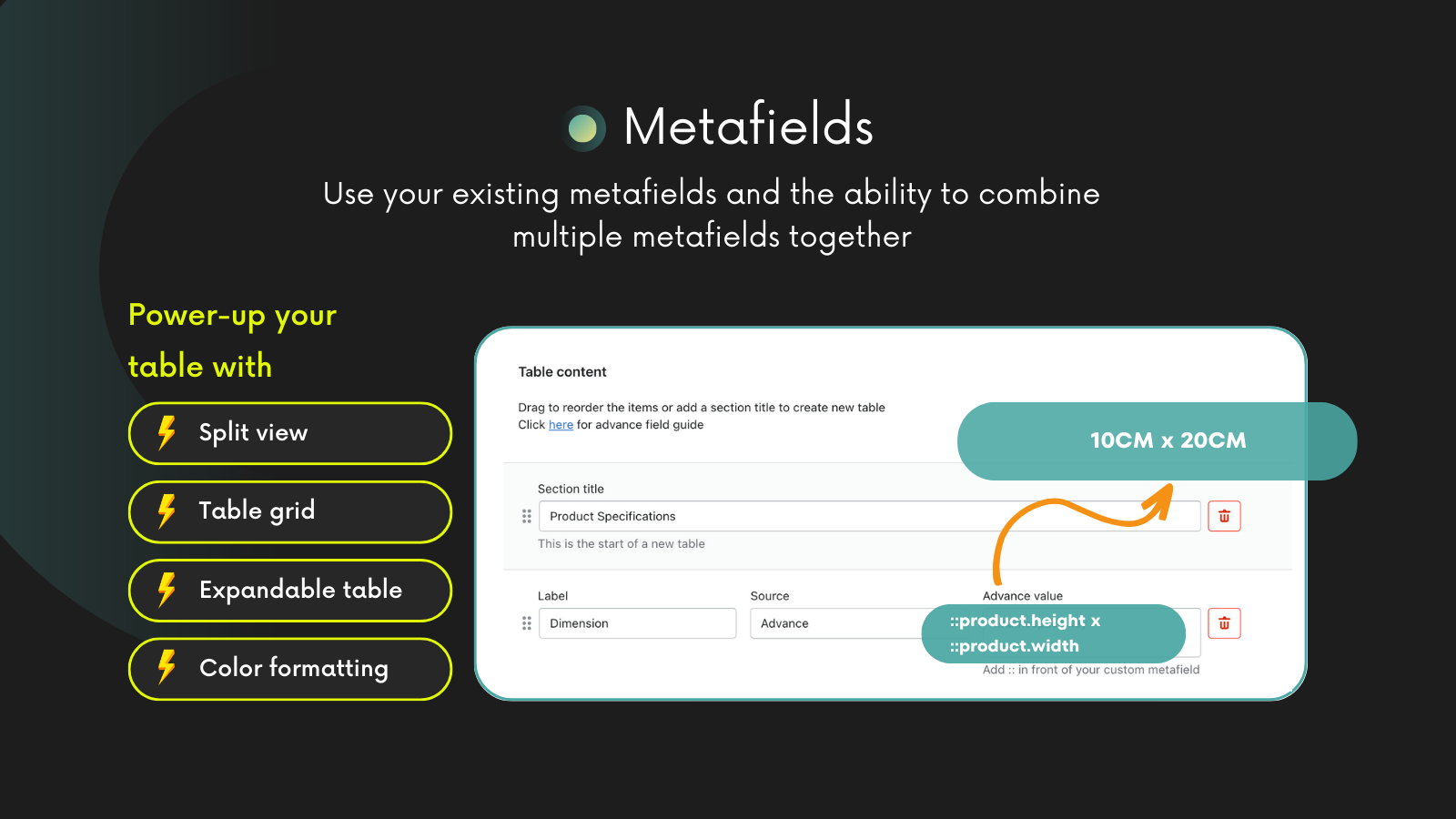
TableFlow maps metafields and metaobjects into specification tables, conditionally displays tables by product data, and can compare products or variants from the tables you create.
Show product facts clearly
Give shoppers dimensions, specs, materials, compatibility notes, and feature data in a format they can scan fast.
Use the data already in Shopify
Populate tables from product and variant metafields instead of manually maintaining duplicate content.
Show the right table on the right product
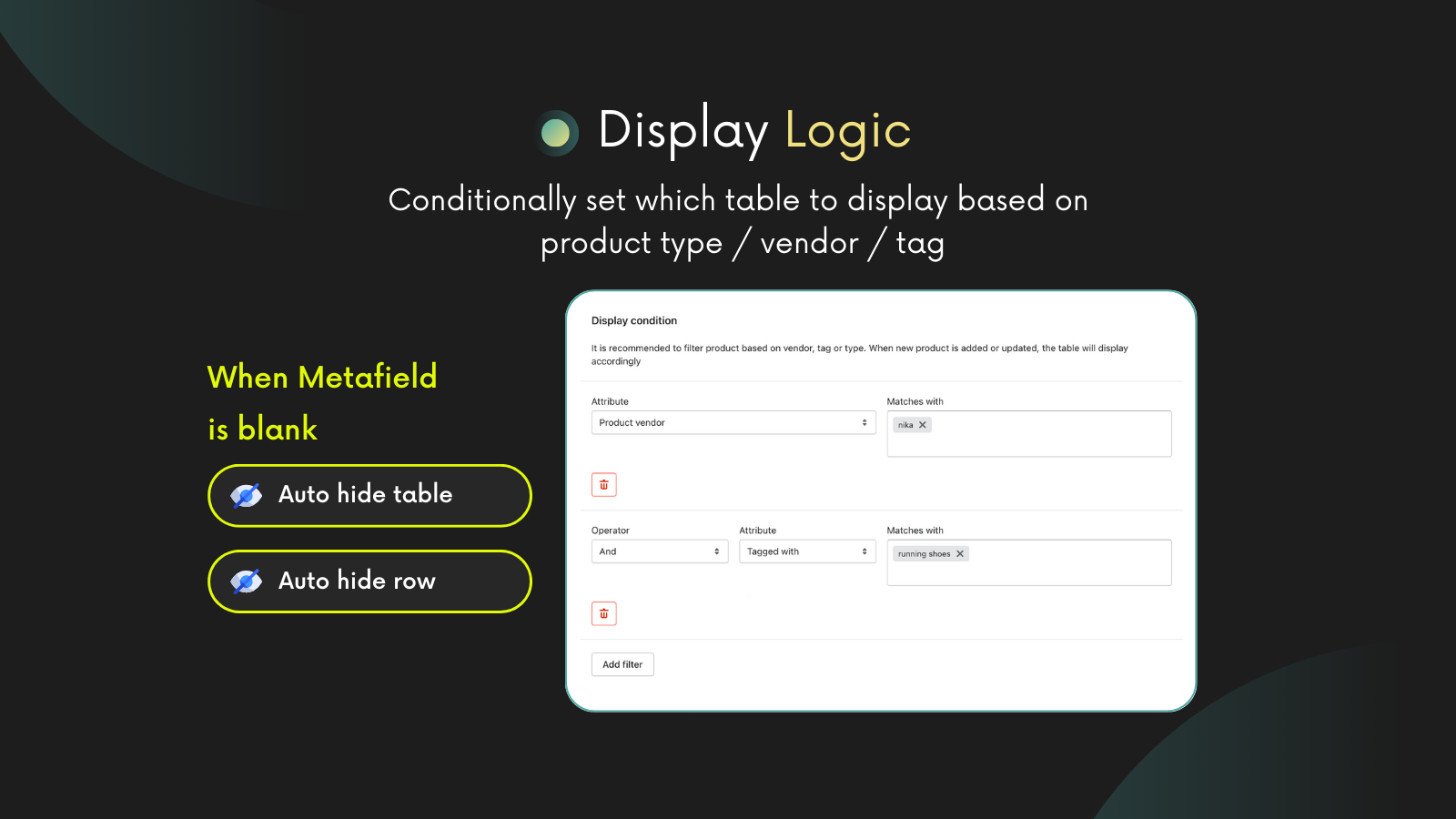
Use conditions based on product groups, tags, vendors, types, and variants so tables stay relevant.
Create comparison moments
Turn specification data into comparison tables that help customers choose between similar products.
Is TableFlow right for your store?
| Your task | Where to start |
|---|---|
| Show dimensions, material, care, or technical facts on a product page | Product specification tables |
| Show the correct values when a shopper selects a different size or model | Variant specification tables |
| Help shoppers compare products or variants using shared specification rows | Product comparison tables |
| Compare specification apps and their plan limits | TableFlow, Bear Specs & Compare, Easy Specs, and Tably |
| Build a searchable catalog or a table with variant cart controls | Table Master |
TableFlow is for product-specific specifications and comparison layouts. Table Master is for searchable datasets, catalogs, and ordering tables. Choose the app from the shopping task you need to support.
Example: two bottle sizes
This example uses fictional values for one bottle with two saleable sizes. The material stays in a product metafield. Capacity and height live in variant metafields because their values change with the selected size.
On a small screen, scroll sideways inside the source table to see all columns.
| Table row | Shopify source | 600 mL variant | 750 mL variant |
|---|---|---|---|
| Body material | Product metafield custom.body_material | Stainless steel | Stainless steel |
| Capacity | Variant metafield custom.bottle_capacity | 600 mL | 750 mL |
| Height with lid | Variant metafield custom.height_with_lid | 24 cm | 28 cm |
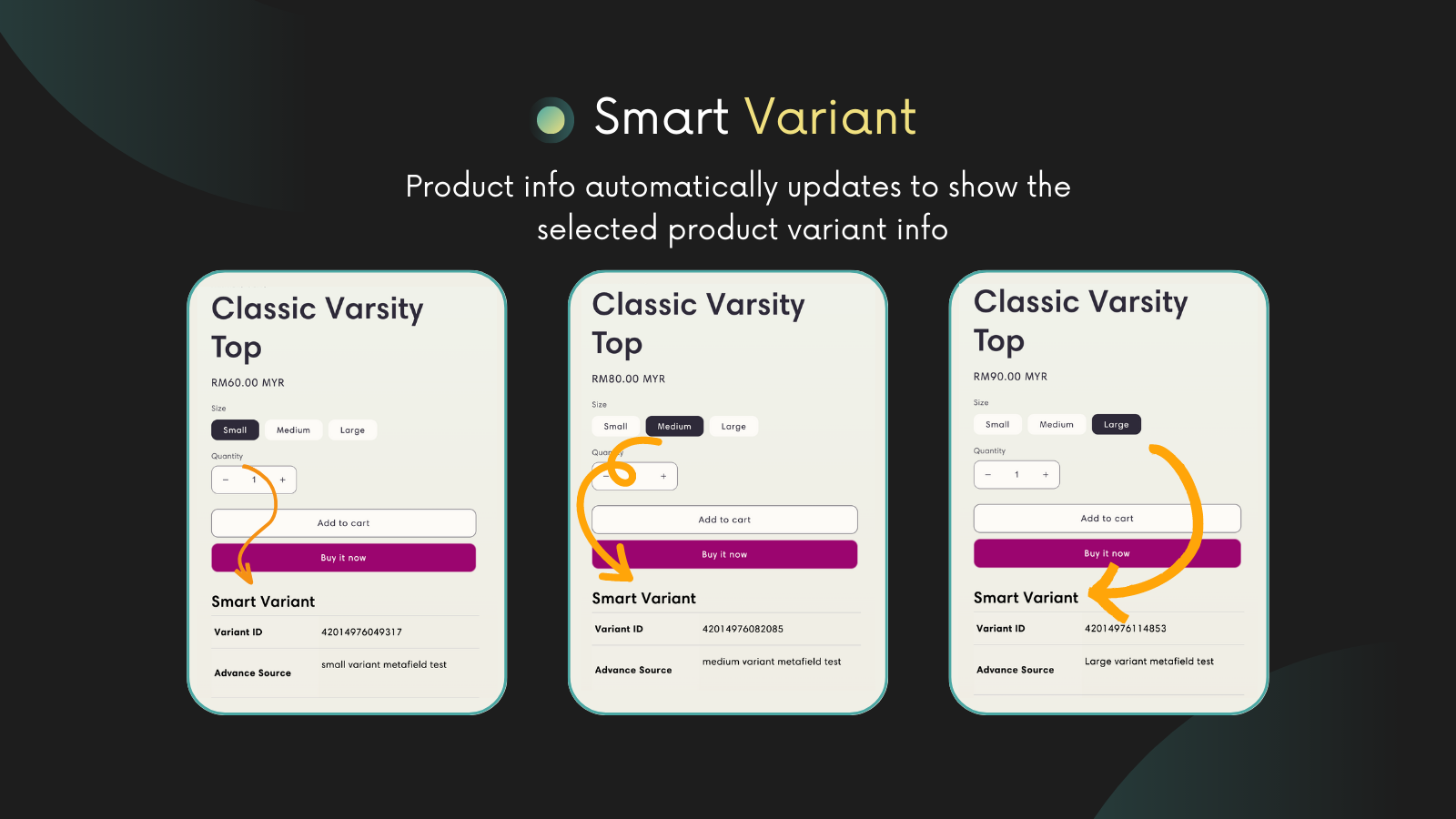
The following tables show the intended storefront result. They are an illustration, not a merchant store or a live app test. When the shopper selects the 750 mL size, the capacity and height rows change. The shared material row keeps its value.
Body material | Stainless steel |
|---|---|
Capacity | 600 mL |
Height with lid | 24 cm |
Body material | Stainless steel |
|---|---|
Capacity | 750 mL |
Height with lid | 28 cm |
TableFlow can use the matching product and variant values when a shopper changes the option. To build and test a table in your theme, follow the variant metafield guide and the bottle setup tutorial. The tutorial includes a storefront example made with TableFlow code and sample data.
Use Cases
Start with a free furniture dimensions tutorial or apparel material and care plan. The TableFlow tutorial library includes sample fields, metafield types, and checks for each product group.
Technical Products
Product Specifications
Variant Specifications
Product Comparisons
Overview
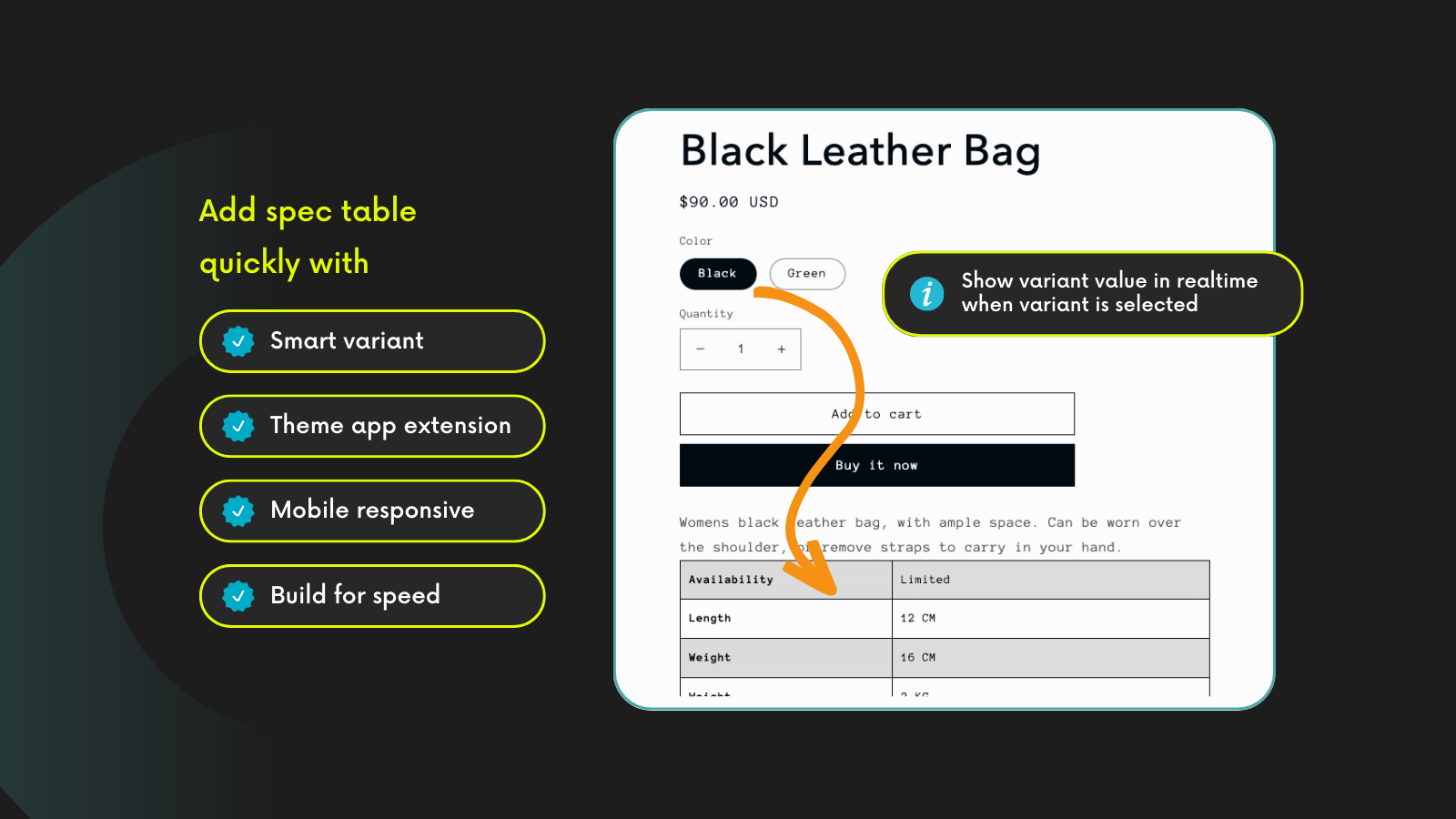
Display product specs clearly and consistently. Populate from metafields with flexible data sources. Fully responsive design.
TableFlow can use shared product facts and selected-variant values in specification tables. Use it for technical products and product pages where clear measurements or features help shoppers choose.
Product Tables
Display detailed product specifications in clean, organized tables.
Metafield Integration
Automatically populate tables from product metafields.
Flexible Data Sources
Pull data from product or variant metafields.
Custom Styling
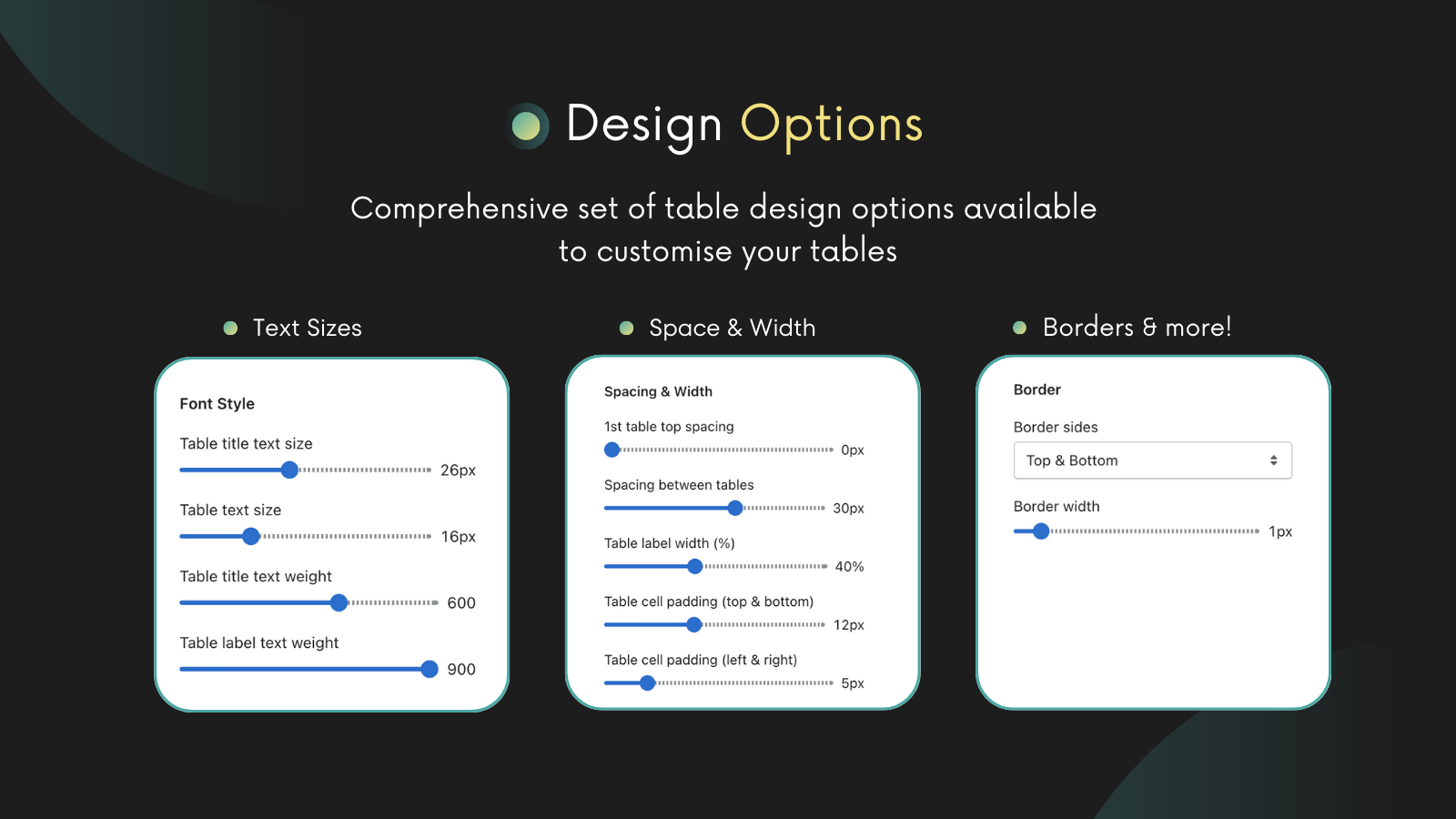
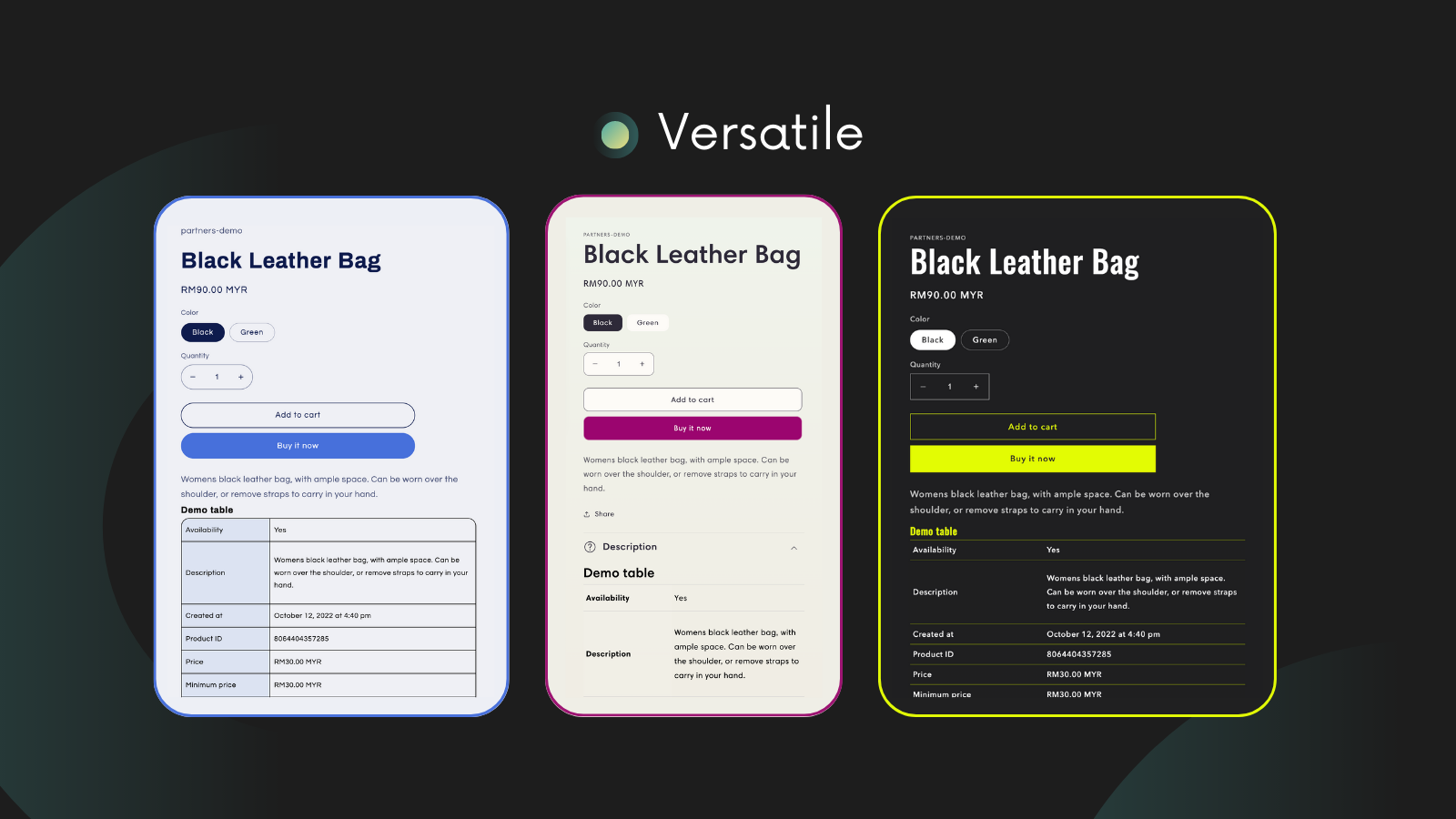
Match your theme with flexible design options.
Product and Variant Comparisons
Compare products, variants, or a custom group of products using the specification tables you prepare.
Plans and limits
The official Shopify listing, checked September 19, 2026, lists Core at $6/month and Advanced at $9/month, in USD. Both list a 14-day free trial. Core includes specifications and multi-column tables. Advanced adds comparison tables and a table-scoped metafield value editor. Check the current listing before installation.
Supply accurate product data and check every required variant in your theme. TableFlow displays your specifications; a table does not verify a supplier's compatibility or safety claims. Configure empty rows and tables so that missing values do not confuse shoppers.
FAQ
Can TableFlow use Shopify metafields and metaobjects?
Yes. Start with the product metafield guide. Use the advanced source guide when your table needs more complex source values.
Can specifications change when a shopper selects a variant?
Yes. Use variant metafields for values that change with the option. Use product metafields for shared values. Follow the variant specification guide and check the selector in your storefront theme.
Can TableFlow compare several products or variants?
Yes. Compare products, variants of one product, or a custom group of products you select. Custom groups are part of product comparison. Prepare specification data first, then choose the comparison layout. The current listing places comparison tables on Advanced. Read the comparison table guide before choosing the plan.
Should I choose TableFlow or Table Master?
Choose TableFlow for a product-specific specification or comparison layout. Choose Table Master for a searchable catalog, spreadsheet dataset, compatibility lookup, or ordering table.
Loved by Merchants Worldwide
See what store owners are saying about their experience with TableFlow.
“The response was immediate and incredibly helpful. Leo and the team turned my specific problem into a permanent improvement that will benefit all TableFlow users.”
“One of the most remarkable aspects is the exceptional support provided by Leo. His quick responses, patience, and willingness to go the extra mile surpassed my expectations.”
“The application is very functional and accessible. The support team was extremely attentive, providing necessary assistance at every moment.”
“Recommended for businesses with many products. Amazing and quick customer service.”
“App works exactly as described with developer team providing immediate fixes for coding issues.”
“Quick to help, and willing to make tweaks depending on your needs.”
“Excellent app with easy-to-use interface. Leo resolved table placement issues quickly.”
“Developers created custom solution enabling export to external third-party marketplace. Beautiful front-end results.”
Give technical product data a cleaner storefront home.
Install TableFlow when product specs, variant data, or comparison tables need to be accurate, responsive, and easy to maintain.
Changelog
Track the latest updates and improvements for TableFlow.