

Hide Empty Tables and Rows
Configure TableFlow to automatically hide empty tables and rows instead of displaying placeholder dashes.
Instructions
Step 1: Access Theme Customization
Navigate to your themes and select "Customize."

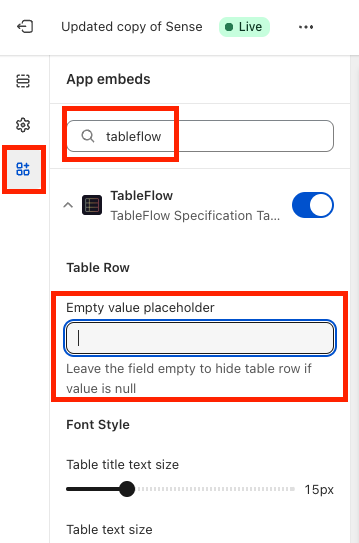
Step 2: Configure TableFlow App Embed Settings
- Locate "App embeds" section
- Find "TableFlow" in the list
- Ensure "Empty value placeholder" field is empty
- Save changes
Result
Once saved, TableFlow automatically hides tables and rows without values.